Exploring
these contents, we invite you to evaluate carefully the value
of this SVS Training. Thanks to our job based on virtual reality,
in few minutes you will have the opportunity to explore the product
at home, including main procedures, additional information, operation
test and results.
Using
SVS Training you will be able to:
•
increase your professional knowledge;
•
evalute a product before to purchase it ;
•
quickly
learn product operation after purchasing.
To
access SVS Full Edition for this product you need a SVS ViewCode.
Don't renounce to your own experience and opinion!
Purchase a ViewCode (Euro 12,00 only!) by
clicking the [PURCHASE YOUR VIEWCODE] button and start your SVS
TRAINING in minutes!
BASIC
SETTING.
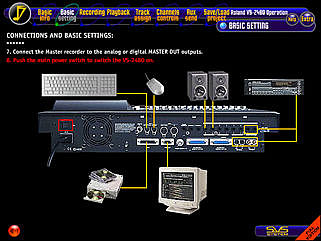
This
Session shows the VS-2480 main connections, the basic settings,
how to create a new Project and the procedure required before
the VS-2480 can be powered off (Shutdown)...
All the Sessions included in this Virtual Seminar assume that
the VS-2480 internal parameters are set on their standard (initialized)
values.
RECORDING.
This
Session explains how to record a VS-2480 track...

The VS-2480 can simultaneously record up to 16 of the 24 available
tracks. The Input Mixer channels are normally ready for recording,
being assigned by default to Tracks 1-24.
PLAYBACK.
This Session explains how to play the recorded tracks and control
the track return channel levels...

TRACK
ASSIGN.
This Session explains how to change the signal source assigned
to a track...
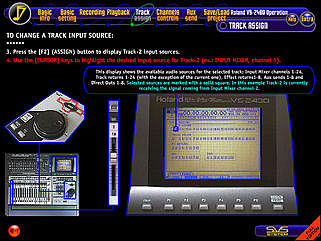
This
operation allows to freely redirect the input signals toward the
available tracks. In this way, for example, more tracks can be
recorded with the signal coming from the same input, or different
input channels can be assigned to different tracks without the
need of physically moving the input cables.
CHANNEL
CONTROLS.
This Session explais how to access the dynamic processor and EQ
controls available for each channel...
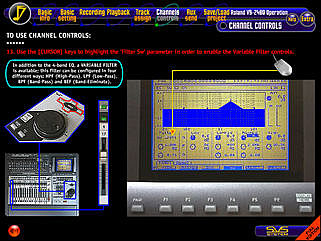
The
procedure described in this Session can be also applied to the
Input Mixer channels to process input signals.
AUX
SENDS.
This Session explains how to use an Aux send to add effects
to the recorded tracks...
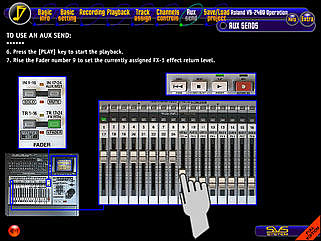
By
default Aux sends 1-8 are assigned to the internal FX processor
boards and to the R-BUS 1 digital outs, but they can be also routed
to the analog, S/PDIF or R-BUS 2 outputs.
SAVE/LOAD
PROJECT.
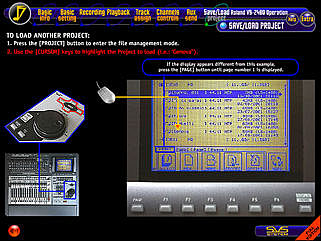
This Session explains how to store the current Project to the
internal Hard Disk and how to open another Project...
EXTRA
SESSIONS.
In addition to Main Sessions, several Extra Session are also provided
including subjects like "VARIABLE FILTER", "HD
FORMAT", "RECORDING MODES", "EFFECTS",
"LOCATORS", "LEVEL RESET"...
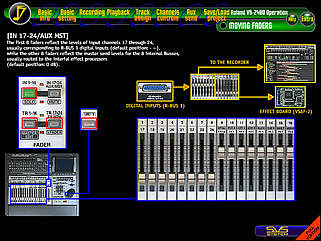
There
is also a "MOVING FADERS" Virtual Experience Session
where you will be free to press all VS-2480 Fader
Bank buttons, exploring
and understanding different fader
controls.
START
SVS FULL EDITION FOR
ROLAND VS-2480 OPERATION
BUYING YOUR VIEWCODE NOW!